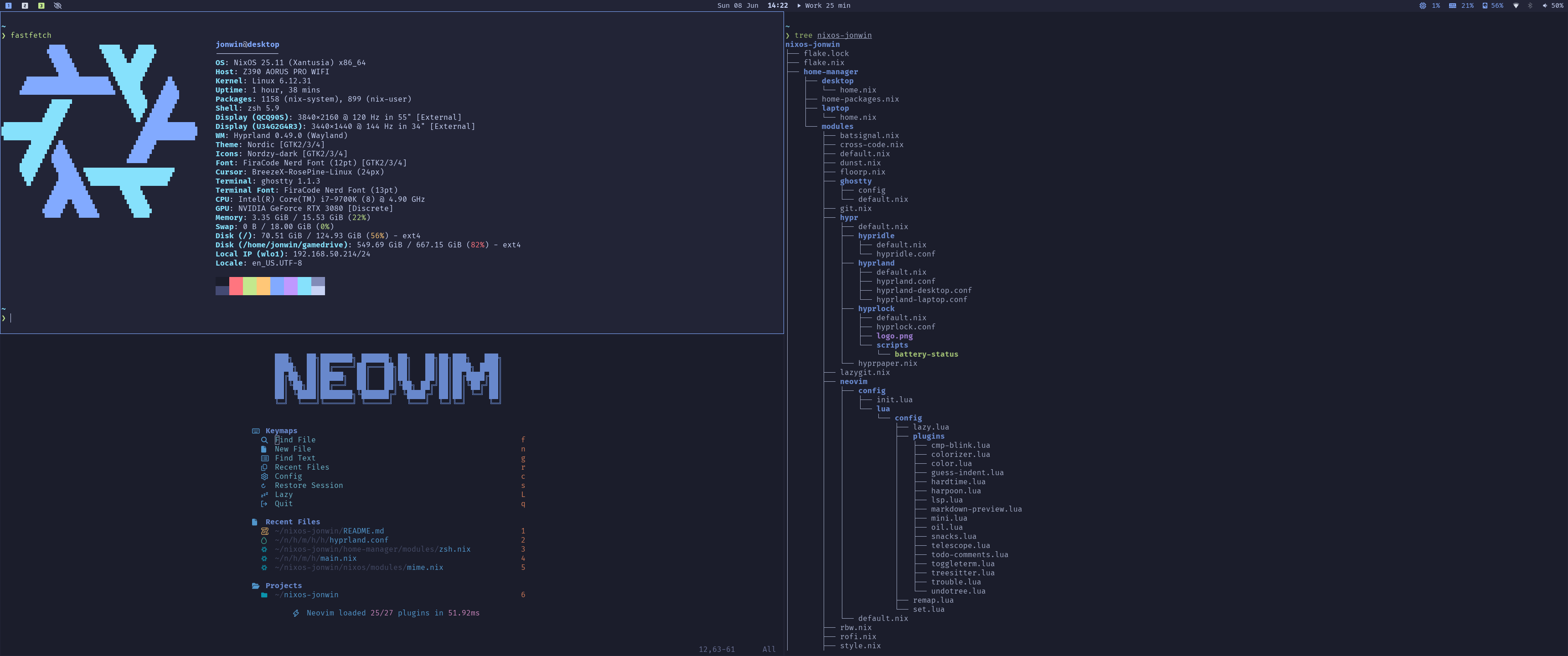
Welcome to my NixOS configuration, you can find the repo here.
✨ Features
- 🖥️ Multiple Hosts Support: Easy to configure for different hosts.
- 🪟 Hyprland + Waybar: Highly configurable window compositor on Wayland.
- 🏠 Home Manager Integration: Manage user-specific configurations with ease.
- 🐚 Zsh + Starship: Efficient shell setup with lots of aliases.
- 👻 Ghostty: Fast and feature-rich terminal emulator.
- ✍️ Neovim: With simple configuration through nvf.
- 🔑 YubiKey Login: Fast and secure authentication with YubiKeys.
- 💾 Full Disk Encryption: YubiKey-based FDE for secure and convenient unlock.
- ✨ Stylix: Unified system theming.
📝 Notes
- I’ve chosen to tightly integrate Home Manager and NixOS within the
same file and directory structure, rather than separating them into different
files and folders. This keeps the configuration more cohesive but comes with
some important caveats:
- Home Manager options must always be written inside a:
block within your configuration files.
home-manager.users.${user} = { ... }; - Home Manager attributes cannot be imported at the top level (outside of
the
home-manager.users.<user>block). For example:Here, note that{ pkgs, user, ... }: { home-manager.users.${user} = { config, ... }: { programs.rofi = { ... theme = let inherit (config.lib.formats.rasi) mkLiteral; in { ... }; }; }; }configis only available within thehome-manager.users.<user>block—trying to import Home Manager attributes directly at the top level will fail.
- Home Manager options must always be written inside a:
- This design choice reduces duplication and keeps related configurations together, but it requires extra attention to module scoping and to distinguishing between NixOS and Home Manager settings.
- If you prefer a more typical separated configuration structure (e.g. fully
declarative Home Manager setup using
home.nixper host), check out Andrey0189’s NixOS Config Reborn, which this repository was briefly based on before the latest refactor.
🚀 Installation
-
Install NixOS. I follow these steps to use full disk encryption with Yubikey unlock, if you don’t want to use this approach follow the NixOS Installation Guide instead.
-
After booting into the system connect to a network using for example
nmtui. -
Clone the configuration repository. Add a ssh key first (e.g. Yubikey SSH), or use https instead.
git clone [email protected]:jonwin1/nixos-jonwin.git cd nixos-jonwin -
Copy one of the host configurations or use an existing one.
cp -r config/desktop config/<hostname> -
Copy hardware-configuration.nix into the host config directory.
cp /etc/nixos/hardware-configuration.nix config/<hostname>/ -
Create an authorization mapping file for YubiKey login and sudo, or disable the module to use a regular password. Only have one key plugged in at a time when adding multiple keys.
nix-shell -p pam_u2f
mkdir -p ~/.config/Yubico
pamu2fcfg > ~/.config/Yubico/u2f_keys
pamu2fcfg -n >> ~/.config/Yubico/u2f_keys # Add another YubiKey (optional)
chmod 600 ~/.config/Yubico/u2f_keys
exit
Or remove
./yubikey.nixfrommodules/default.nix.See more NixOS Wiki - YubiKey PAM U2F.
-
Edit the configuration files as needed.
-
If using the disk encryption mentioned above, set the LUKS partition in
config/<hostname>/configuration.nix. Find the UUID withsudo blkid.jonwin.luksPart = "/dev/disk/by-uuid/abcd1234-5ef6-6g89-0hij-1kl2mno34567";Otherwise, don’t set it and it will be disabled.
-
Add host in flake.nix:
...
  hosts = [
  ...
+   {
+     user = "<username>";
+     hostname = "<hostname>";
+     system = "x86_64-linux";
+   }
  ];
...
See File Structure below for an overview of where to find what. You might also want to set you git name and email or change the name and logo on the hyprlock screen, etc.
-
-
Rebuild and reboot.
git add . sudo nixos-rebuild switch --flake .#<hostname> reboot -
Put wallpapers in
~/Pictures/wallpaper/, if there are multiple images in the directory they will be cycled through on an interval. This is a good place to find multiple wallpapers that fit a theme.
📂 File Structure
📂 .
┣ ❄️ flake.nix (Main entry point for the NixOS flake)
┣ 📂 config/ (Host and shared configuration files)
┃ ┣ ❄️ configuration.nix (Shared config options)
┃ ┣ ❄️ packages.nix (Shared packages)
┃ ┗ 📂 <hostname>/ (Settings for a specific machine)
┃   ┣ ❄️ configuration.nix (Host-specific config options)
┃   ┣ ❄️ hardware-configuration.nix (Hardware configuration for this host)
┃   ┣ ❄️ default.nix (Host-specific module imports)
┃   ┣ ❄️ packages.nix (Host-specific packages)
┃   ┗ 📂 modules/ (Host-specific nix modules)
┣ 📂 modules/ (Reusable nix modules)
┃ ┣ ❄️ default.nix (Default module imports)
┃ ┗ … (e.g. window manager, shell, applications)
┗ 📂 scripts/
🤝 Contributions
Feel free to fork the repository and submit pull requests if you’d like to contribute improvements. Open issues if you encounter any problems with the config or have ideas for new features.
📜 License
This project is licensed under the GPL-3.0 License. See the LICENSE file for details.